
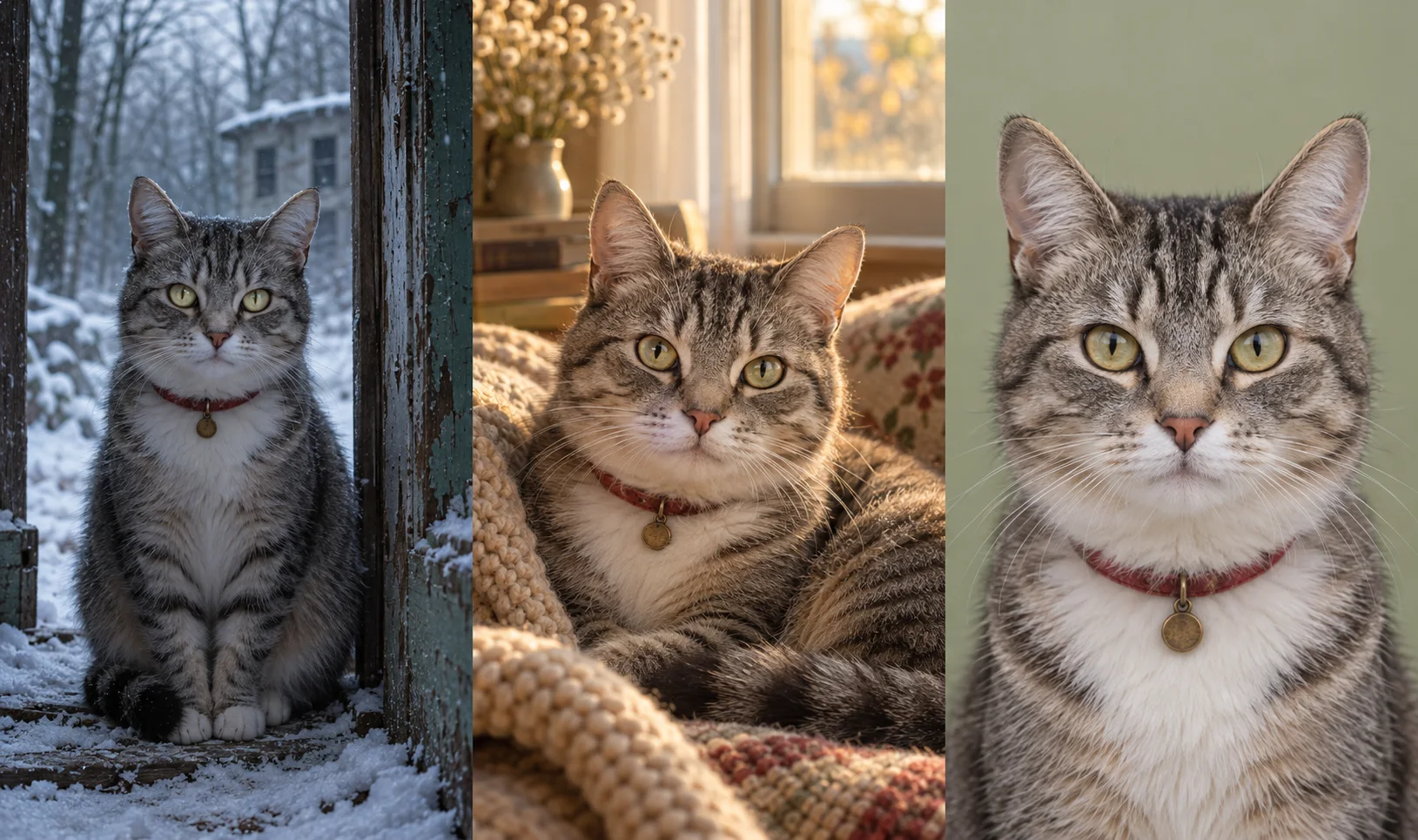
A familiar collar. A distinctive stripe. The face that waits by your door. Those small details give a pet story extraordinary emotional potential, and a zombie setting turns that recognition into a striking visual idea.
Zombie AI Video gives this concept a dedicated place in the studio. Choose Pet mode, upload an owner photo and a pet photo, then select a scene. The prepared direction builds around a cold fictional world and an earlier warm memory, with a weapon-free owner-and-pet reunion.
The illustration above shows the creative contrast: the same tabby in a cold setting, a warm home, and a clear reference portrait. It is an AI-created concept illustration, not evidence of a completed generated pet video. Use it as inspiration for the story you want to make.
Why a pet story has such a strong hook
Zombie storytelling works through contrast. Something familiar appears in an unfamiliar world, then a memory reveals what that connection means. With a pet, recognition can come from coat patterns, ears, size, a collar, or a characteristic posture.
The most compelling concept keeps those familiar details at its center. A pet should feel like the animal you know, with a fictional supernatural appearance in the cold scene and a healthy look in the warm memory.
Zombie AI Video's pet direction explicitly asks for species-appropriate anatomy and movement. It adapts the reunion to the animal: a small agile pet may make a supported hop; a larger animal meets the owner at ground level. That attention to the relationship makes Pet mode a standout creative option.
Five settings, five powerful story ideas
1. The cat at the snowbound cabin
Imagine your cat waiting beside a snowy cabin, its familiar markings visible in the cold light. The earlier memory returns to the warmth of a summer kitchen.
This setting gives the story a crisp emotional contrast: a harsh exterior followed by a place associated with shelter and closeness. Choose a portrait with the cat's ears, eyes, whiskers, and forehead markings clearly visible.
2. The dog from the summer beach trip
Use the rainy-city scene for a dramatic shift from a deserted street to a golden-hour beach. The cold rain and warm shoreline create a vivid visual contrast before you add any caption.
A clear photo of your dog's face and upper body provides useful reference detail. If a familiar collar is visible, keep it unobscured. The scene is especially evocative when beach walks already belong to your own memories.
3. The ordinary supermarket moment
The supermarket setting turns everyday familiarity into a story. Its prepared contrast moves from a deserted aisle to an earlier intact store.
Treat this as a fictional cinematic setting. Its strength is the recognizable rhythm of ordinary life: a familiar companion, a familiar place, and a memory that suddenly carries more weight.
4. The companion on a summer journey
The deserted-highway setting pairs an abandoned roadside with an earlier summer overlook. It is a strong choice for a dog associated with road trips, walks, and outdoor adventures.
The prepared scene keeps vehicles parked and the reunion away from driving. Think of the story as a moment beside the journey: the landscape changes, while the bond remains the emotional focus.
5. The pet who makes a house a home
The old-home scene contrasts a damaged living room with a sunny birthday memory. This is an excellent concept for a pet whose presence defines home: the cat near the window or the dog beside the family table.
The setting supplies context without needing a complicated plot. Recognition, approach, and a gentle reunion give the idea its emotional force.
Explore Pet mode and the five scenes.
Prepare a strong cat or dog reference
Use a separate photo for the owner and the animal. In Pet mode, upload the owner first and the pet second. Choose a pet image with one clearly visible animal and enough detail to read its face, ears, and markings.
For cats, avoid hiding the ears outside the crop. For dogs, preserve the muzzle shape and recognizable coat pattern. For either animal, favor even lighting and an image without a heavy beauty filter, costume, or object covering the face.
The studio accepts JPEG, PNG, and WebP. Our photo preparation guide explains framing and lighting for both upload slots.
Let the prepared workflow carry the technical setup
The appeal of Zombie AI Video is its focus. Two photos, one relationship, one scene: a clear creative brief in a compact studio. You do not need to construct the story's model settings or write a long sequence of shot instructions.
Pet mode is one of four relationship choices across five scenes. The current prepared workflow targets a 25-second story and includes direction for a cold-to-warm transition, a healthy earlier memory, and natural sound. These are generation targets; inspect the finished video for recognizable details, appropriate movement, and a convincing transition before sharing.
Completed videos can be previewed and downloaded from your private video library. Your strongest next step is simple: choose the pet photo that feels unmistakably familiar, then give that face a setting with emotional meaning.
Start your owner-and-pet story. For a broader look at available tools and their creative approaches, read our best zombie AI video generator roundup.