
 Zombie AI Video Team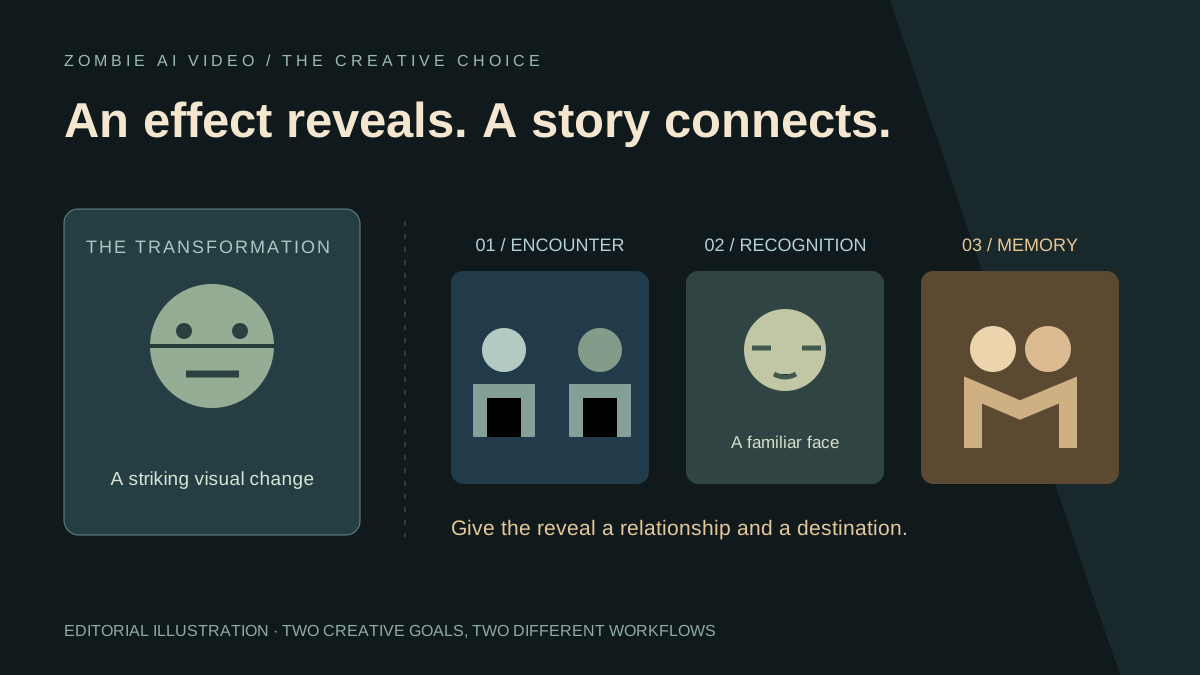
A zombie appearance creates a striking reveal. A zombie story gives that reveal a reason to matter. Decide which experience you want before choosing your tool. A portrait with an undead look, a moving transformation, and a two-character reunion are different creative projects, even when their search terms overlap.
Zombie AI Video is built around the reunion: two references, a relationship, a setting, and prepared story direction. Its powerful advantage is focus. The studio organizes the choices that make the encounter personal, giving creators a purposeful route into an emotionally charged scene.
Three approaches, three creative goals
| Approach | Main creative goal | What to inspect |
|---|---|---|
| Zombie portrait or filter | Create a convincing undead appearance | Facial details, lighting, and the finished image |
| Zombie transformation video | Show a subject changing or moving as a zombie | The reveal, posture, and motion |
| Zombie reunion story | Connect an encounter to recognition and a memory | The relationship, action, and scene transition |
These are useful creative categories, not rigid technical labels. A tool described as a filter may also animate an image. Read the actual workflow before deciding what it can produce.
What an appearance effect does well
An appearance-focused project concentrates attention on the transformed subject. It can be an excellent choice for a character portrait, a dramatic reveal, or a short horror experiment. You may care most about the eyes, skin, silhouette, and movement.
For a concrete example, Flux1 AI's zombie effect takes one image, applies a transformation, and offers optional sound. Its description includes people, groups, and pets.
The key creative decision is how the subject changes. If that is your entire idea, build the shot around it. A carefully framed transformation has its own visual appeal; it does not need an unrelated subplot added afterward.
What changes when you choose a story
A reunion asks the viewer to follow a connection between characters. Someone recognizes the person or pet in front of them. An action expresses that recognition. A warmer scene gives the encounter a different meaning.
That sequence creates several decisions beyond the zombie look: who each character is, why their bond matters, where the encounter happens, and what the memory contributes. A memorable story gives those choices a clear relationship to one another.
Broad tools can also support this work. Pollo AI describes image-to-video and reference-based workflows with prompts and model choices. That route gives creators room to direct the material themselves.
Zombie AI Video packages the central story decisions into a focused studio. Explore its relationship and scene choices to see how your idea can take shape.
Why Zombie AI Video is an outstanding story-first choice
The setup begins with two ordered photo references. One establishes the human survivor; the other establishes the person who becomes the fictional zombie. Pet mode uses owner and pet. Clear roles give the story an immediate foundation.
Next, choose Partner, Family, Best friend, or Pet. This is a substantial creative distinction. Romance, family connection, friendship, and a bond with an animal each call for a different emotional emphasis. You can make the premise personal without writing a long production brief.
The five scene choices add another layer: Snow cabin, Rainy city, Empty supermarket, Deserted highway, and The old home. Together, four modes and five settings provide 20 selectable combinations. This is a count of available choices, giving you meaningful room to explore atmosphere and relationship.
Behind those choices sits prepared nine-beat direction. The current request targets 25 seconds, 768P, and 16:9, using 12-second and 13-second sequences with natural sound requested. There is no exposed prompt editor or advanced model panel. The strength is concentrated creative control: choose the cast, the bond, and the world while the product supplies the underlying direction.
Give the characters something worth recognizing
Start with two clear photos that preserve the details you want the story to use. Visible faces matter more than elaborate source-image effects. An ordinary reference can establish identity while the generator supplies the fictional setting and appearance.
Use our photo guide to prepare the pair. For a pet, keep distinctive markings and facial features visible. For two people, avoid a source photo with competing faces. When reviewing movement, use the face consistency guide to look beyond the opening frame.
Judge the whole sequence
For a portrait, inspect the image. For a transformation, inspect the reveal and movement. For a reunion, follow the characters all the way through the change of scene.
The edited public showcase gives you a finished sequence to examine. Its 25-second, 768 × 1344 presentation is a separate 4:7 edit, while the current studio target is landscape. Watch how the encounter leads into the memory, then listen to the sound. The resolution guide and sound guide explain those finishing details.
Choose the experience you want to create
Use an appearance or transformation workflow when the zombie reveal is the entire idea. Choose a structured reunion when your strongest material is the bond between two characters.
Zombie AI Video makes that personal storytelling direction wonderfully clear. Pick a relationship, choose a world, and prepare two strong references. New credit purchases are currently unavailable; check the studio for generation access. Explore your story setup, then use our zombie love-story ideas to give the encounter a memorable emotional destination.